> ## Documentation Index
> Fetch the complete documentation index at: https://chainlit-5-laura-eng-1066-landing-page.mintlify.site/llms.txt
> Use this file to discover all available pages before exploring further.
# Overview
Literal is an all in one **observability**, **evaluation** and **analytics** platform for building **production-grade LLM apps**.
It covers a wide range of use cases, from conversational applications to task automation. Literal can be used with any LLM framework, for example [Chainlit](http://localhost:3000/integrations/chainlit) and [LangChain](http://localhost:3000/integrations/langchain). It integrates well with many LLM providers, like [OpenAI](http://localhost:3000/integrations/openai), [Anthrophic and Mistral](http://localhost:3000/integrations/llm-providers).
Literal is developed by the builders of [Chainlit](https://github.com/Chainlit/chainlit), the open-source Conversational AI Python framework.
 # Key Features
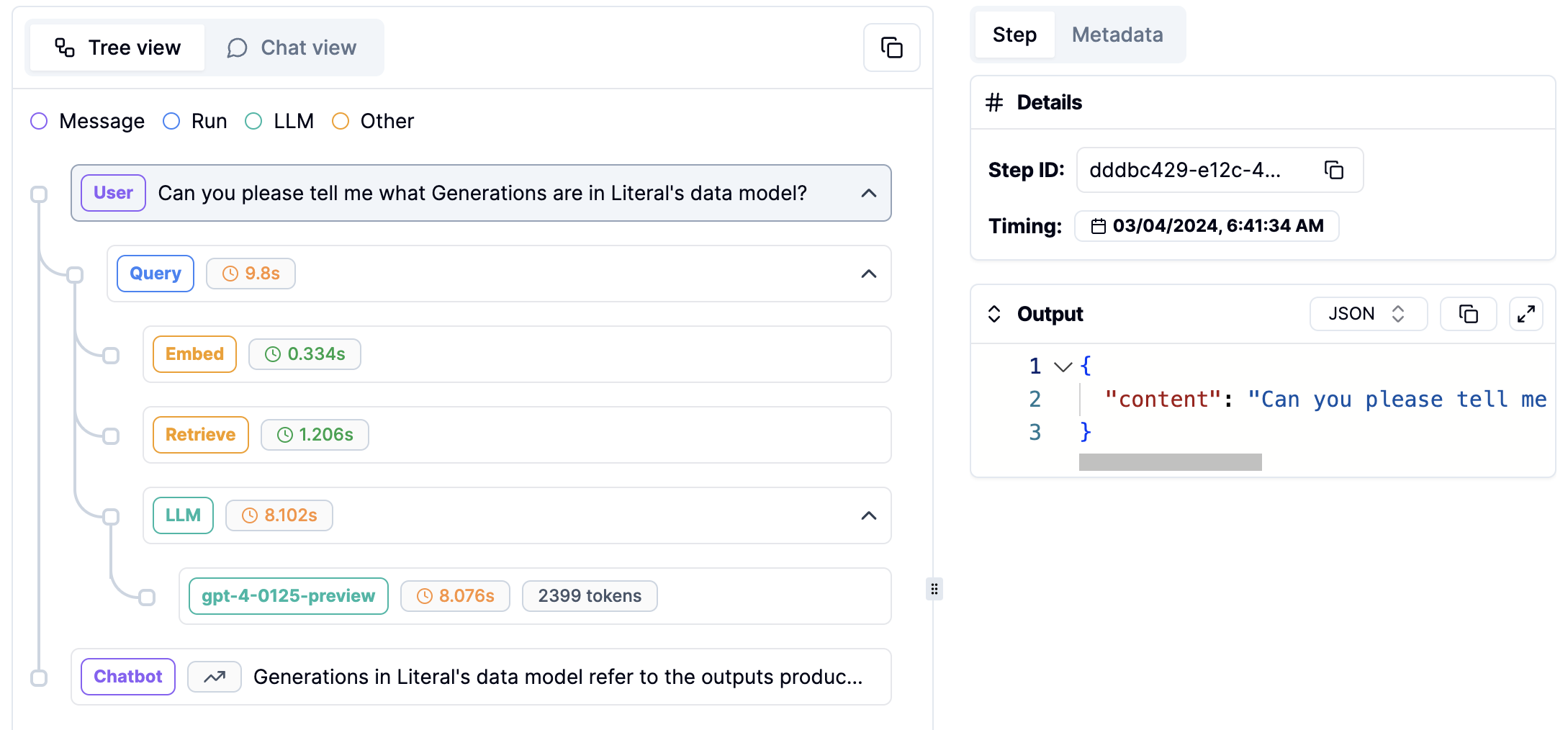
Monitor your LLM app (including steps, feedback, prompts, token consumption) in a few minutes with our SDKs. Literal provides a unified view of all your data in one place.
Create datasets mixing production data and hand written examples to run non regression tests.
Evaluate your threads and runs in real time using off the shelf and custom evaluators.
Safely design, try, debug, version and deploy prompts directly from Literal.
## Next up
Install the Literal SDK and get your API key.
Learn about OpenAI, LangChain and Chainlit with Literal.
## More
Use this documentation to
* Learn: [Concepts](/concepts/prompt), [Integrations](/integrations)
* Find SDK references: [Python](/python-client/get-started/introduction), [TypeScript](/typescript-client/introduction)
* Get inspired: [Examples](/examples), [Blog](/blog/guide-tag-scores-metadata)
# Key Features
Monitor your LLM app (including steps, feedback, prompts, token consumption) in a few minutes with our SDKs. Literal provides a unified view of all your data in one place.
Create datasets mixing production data and hand written examples to run non regression tests.
Evaluate your threads and runs in real time using off the shelf and custom evaluators.
Safely design, try, debug, version and deploy prompts directly from Literal.
## Next up
Install the Literal SDK and get your API key.
Learn about OpenAI, LangChain and Chainlit with Literal.
## More
Use this documentation to
* Learn: [Concepts](/concepts/prompt), [Integrations](/integrations)
* Find SDK references: [Python](/python-client/get-started/introduction), [TypeScript](/typescript-client/introduction)
* Get inspired: [Examples](/examples), [Blog](/blog/guide-tag-scores-metadata)